Switching email platform doesn't have to mean rebuilding every template. If your designs live in a drag-and-drop builder outside the ESP, moving is mostly a re-export: the same on-brand emails, handed to the new platform as ready-to-send HTML or MJML. Milo Email Studio keeps your templates and brand kit in one place, so the platform you send from can change without your designs changing.
This read is about moving your email marketing platform, the ESP your campaigns go out from, and what happens to your templates when you do. It isn't about changing your own inbox or email address.
In short
- Keep the design somewhere you own, not inside the platform you send from.
- Export HTML or MJML for the new ESP, or push a draft to Zoho Campaigns.
- Bring old templates in with Import HTML and keep editing them as blocks.
- Swap merge tags for the new platform's format and send yourself a test before you go live.
Why switching feels bigger than it is
When you move ESP, your contacts and lists come across as a data export. The templates are the part people dread. Every welcome email, newsletter and promo was built in the old platform's editor, and the usual fear is rebuilding each one by hand and hoping the brand still looks right at the end.
The question tends to come up when the tools themselves change. An acquisition announced on 20 October is a reminder that the platform you send from can change hands, change pricing or change direction, and teams start asking what would happen to their templates if they moved.
What happens to my email templates when I switch platform?
Templates built in an ESP's own drag-and-drop editor usually stay in that ESP's format. Some platforms let you export the HTML of a custom-coded template, but drag-and-drop templates often can't leave as a reusable file. We cover one platform saying exactly that in our read on how to import an exported file into your ESP.
That leaves two routes. You rebuild each template in the new editor, or you start from HTML you already have. Templates designed outside the ESP travel as files, so what you keep is the design itself, and what you'd otherwise redo is every block of it.
Keep your designs outside the platform you send from
If the design isn't locked inside your ESP, a switch is a re-export rather than a rebuild. We've compared builders that keep your designs outside the ESP and weighed up designing outside your ESP vs inside its builder, so we won't repeat that here. For a platform move, the useful part is simple: your emails and brand kits live in Milo, and the ESP only ever receives a finished file or a draft.
Bring the templates you already have
You don't have to start again in Milo either. Import HTML turns an existing table-based email into a new Milo email you can edit as blocks on the canvas, and Import MJML does the same for MJML. If your workspace has a brand kit, Milo applies it to the imported email as it's created.
It's a conversion, so expect to tidy up. Spacing and styles can shift, and Milo keeps your images on their original addresses. If any of those images live on your old platform's hosting, upload them somewhere you control before that account closes. There's more on what carries over when old HTML becomes editable blocks.
Re-export, don't rebuild
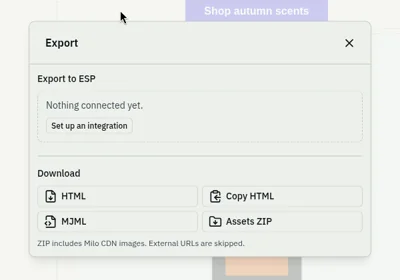
Once a template is in Milo, exporting it works the same way whichever platform it goes to. You can download the HTML or copy it, download the MJML, or take an assets ZIP. If you send from Zoho Campaigns, you can connect it once and push a draft straight to Zoho Campaigns instead of importing a file. If you're weighing up the two formats, here's HTML or MJML, which file to keep.
Images Milo hosts, like the starter images, your Media library and the social icons, sit on public https addresses, so they keep working in the exported HTML without a ZIP. The ZIP bundles your Media library images and skips anything hosted elsewhere, which is one more reason to move images off the old platform first.
Whichever platform you choose, the campaign itself goes out from your ESP. Milo is where the design lives.
Keep the brand consistent through the move
A platform switch is when emails quietly drift off brand: a new editor, new default fonts, a button colour someone guessed. With a brand kit you set your colours, fonts and buttons once, and every new email starts from it. You can apply the same kit to an imported email too, so old templates and new ones end up looking like they belong together.
The small things that catch people out
A short list to run through for each template before its first send from the new platform:
- Merge tags. Each platform writes first name and unsubscribe tags differently, and Milo doesn't convert them for you. Pick the new platform's merge tag set in Milo for any tags you add, then replace the tags already in your copy by hand.
- Images on the old platform's hosting. Re-upload them before you close the old account, or they'll break in every email that still points at them.
- A Test in a real inbox. Milo sends a Test to an address on your account, with "Test:" at the start of the subject, so you see the email as a subscriber would.
- The usual pre-send checks. Alt text, links, size and dark mode: the checks we run before every export.
How we checked this
On 24 October 2026 we did a small switch of our own. We wrote a table-based HTML newsletter for an example candle shop, the kind of email you might export from an old platform: a first-name merge tag and an unsubscribe tag in that platform's format, one image hosted elsewhere and one Milo starter image. Then we brought it into Milo Email Studio with Import HTML.
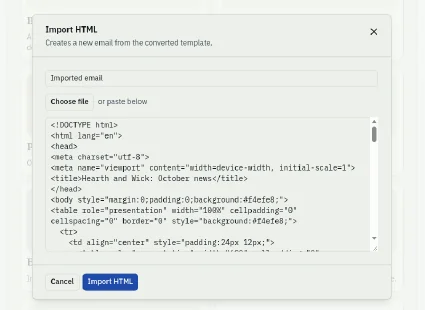
Milo created a new email called "Imported email". Most of it came across cleanly: the header, the body copy and its text colours, the beige page background, both images and the footer. Our test workspace had no brand kit, so nothing was applied on import and we were looking at the email exactly as the HTML described it.
Two things needed a tidy. The orange button came in blue, and the dark brown header band came in much lighter, which left the white shop name hard to read. Both are a quick fix on the canvas, and a brand kit with a button colour would set the button for you.
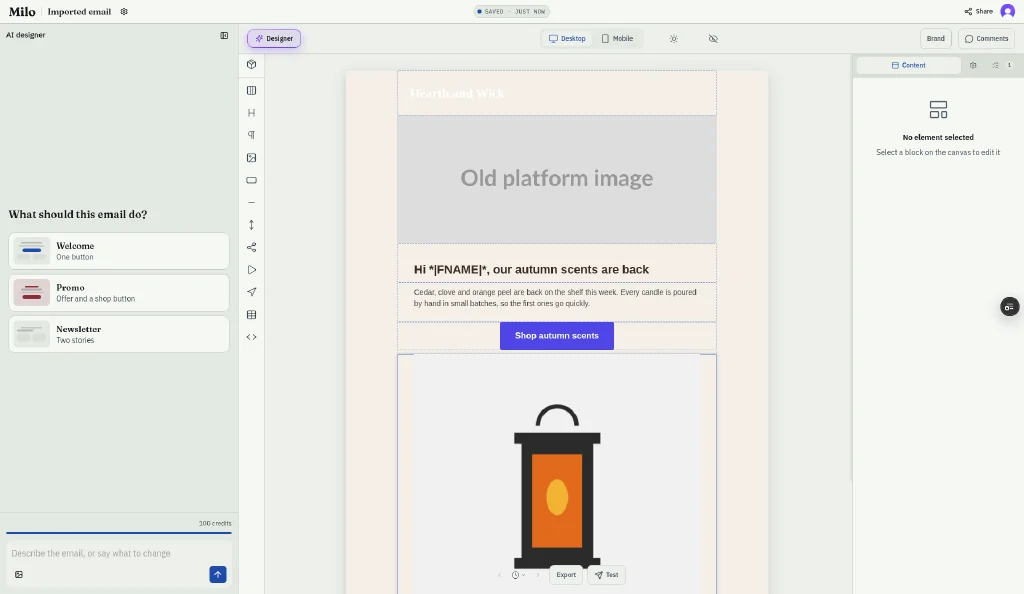
The merge tags came across exactly as they were written, in the old platform's format. Milo didn't convert the first-name tag or the unsubscribe link, which is why you replace them by hand for the new platform.
Then we sent ourselves a Test to the address on our account.
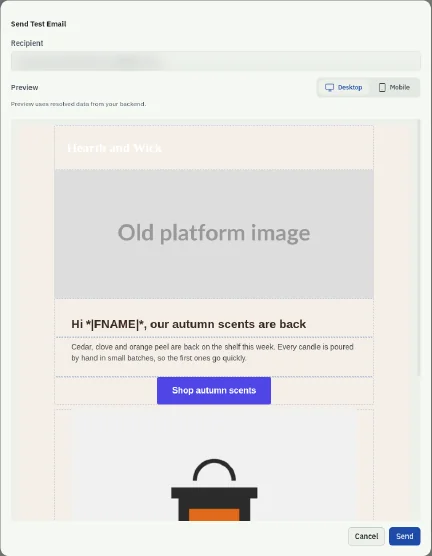
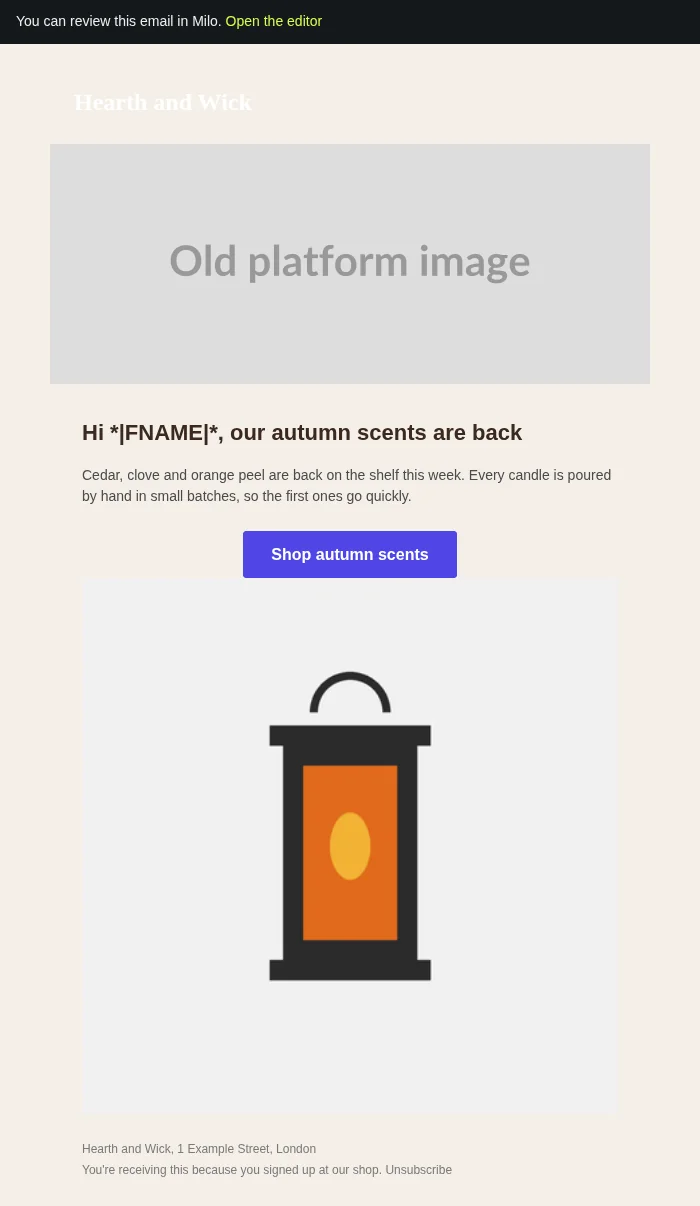
It arrived with "Test: Imported email" as the subject and a "You can review this email in Milo" banner at the top, which links back to the editor. Both images loaded from their original addresses, and the first-name tag still read as the old platform's tag, so the Test showed exactly what we'd need to swap before a real send.
Finally we did the switch itself: we downloaded the HTML and the MJML from the export panel. In both files, both images were still on https, the outside image kept its original address, and the first-name and unsubscribe tags were unchanged. We didn't have Zoho Campaigns connected for this check, so we didn't push a draft.
Try it on your next email.
Questions
Can I move my email templates to a new ESP?
Yes, if you have them as HTML. Export or copy the HTML, import it into the new platform, then check it in a test send. Templates built in an ESP's own drag-and-drop editor often can't be exported as a reusable file.
Do I have to rebuild my templates when I switch email platform?
Not if your designs live outside the ESP. Keep them in a builder like Milo and re-export HTML or MJML for the new platform.
What happens to merge tags when I switch ESP?
They need changing. Each platform writes first name and unsubscribe tags differently, so swap them for the new platform's format before your first send.
Will my images still work after I switch?
Images hosted by Milo keep working in the exported HTML. Any images still on your old platform's hosting should be re-uploaded before you close that account.
Can I import an old email into Milo?
Yes. Import HTML turns table-based HTML into a Milo email you can edit as blocks, with your brand kit applied. Check spacing and fonts afterwards.
Does Milo connect to my new ESP?
Milo connects to Zoho Campaigns and pushes drafts there. For any other ESP, export HTML or MJML and import it. The campaign itself goes out from your ESP.